

For Legal teams, on the repository they already run
Legal desk · guided demo
Multi-repository.One powerful Legal desk.
legalVector gives every department a front door to Legal and gives lawyers an AI-assisted desk — triage, playbook review, genuine Word redlines, an approval gate and key dates — on the content repository you already run, in five languages.
- On your content repository
- Five languages
- AI by TexterAgent
- Genuine Word redlines
legalvector
Self-service Legal requests AI playbook review Genuine Word redlines Approval gate Key dates on the contract Counterparty 360 Command centre On your repository Ask Legal ⌘K everywhere Five languages Light & dark Phone to wall display Self-service Legal requests AI playbook review Genuine Word redlines Approval gate Key dates on the contract Counterparty 360 Command centre On your repository Ask Legal ⌘K everywhere Five languages Light & dark Phone to wall display
The challenge
The contracts live in your repository. The legal work around them doesn’t.
Requests arrive by e-mail, drafts travel as attachments, status lives in spreadsheets, deadlines in personal calendars. Each step is reasonable — together they cost time, versions and missed notice dates.
E-mail threads
Shared drives
Spreadsheets
Word attachments
Chat & phone
Personal calendars

legalVector
one front door
Documents, permissions and versions — all stay in your repository
One Legal desk · your repository
Flexible where it runs. Powerful where it counts.
How a deployment is shaped
The desk sits on the repository. It does not become one.
People work in legalVector. The repository remains the system of record. Texter Agent is called from the legalVector server for playbook review, extraction and Ask Legal. Nothing in this picture requires two repositories.
legalVector
One front door, triage, playbook review, Word redlines, the approval gate, key dates and the Legal figures.
One content repository
System of record. Documents, versions, permissions and the audit stay here, under the repository’s own rules.
The workflow engine this deployment runs
The Legal process is standard BPMN on the embedded engine. A repository BPM is used only where that edition actually runs it.
Texter Agent
Playbook review, extraction and Ask Legal. Called from the server. Not a second store, and not claimed to trim every result to the signed-in user.
Doxis and Alfresco are alternatives. One deployment runs on one of them. They do not depend on each other, and they are not a combined stack.
Two repositories. One desk.
Choose the repository you already run.
The Legal desk is the same either way. One deployment runs on one repository — you choose Doxis or Alfresco, and you do not need both. Open the edition that names your platform, or compare them here. Neither replaces the repository’s own clients.
SER · Doxis 4
Doxis
The Legal desk on Doxis, alongside Doxis Legal.
- A request is a document of class LegalRequest
- Facts stored as Doxis descriptors
- Complements Doxis Legal — it does not replace it
- Doxis BPM & Insights, or the embedded engine
- Everyday workspace and administration tools
Alfresco Content Services
Alfresco
The Legal desk on Alfresco, in the Legal site.
- A request is a file with the legalVector aspect
- Facts stored as Alfresco properties
- Each request private to its requester and Legal
- Alfresco Process Services, or the embedded engine
- Share and the Admin Console stay in place
The same Legal desk on both
- Intake, triage and the approval gate
- AI playbook review and genuine Word redlines
- Key dates, calendar and Counterparty 360
- Five languages, light and dark
What changes, and what does not
The repository keeps the record. legalVector adds the Legal work.
Customer experts still approve AI drafts. The repository’s own clients stay in place.
The repository already does
legalVector adds
Documents and versions
Stores the file, its versions and its audit.
Writes a redline as a new Word version of the same file.
Permissions
Decides who may read or change a document.
Calls the official API as the signed-in user. No second permission model.
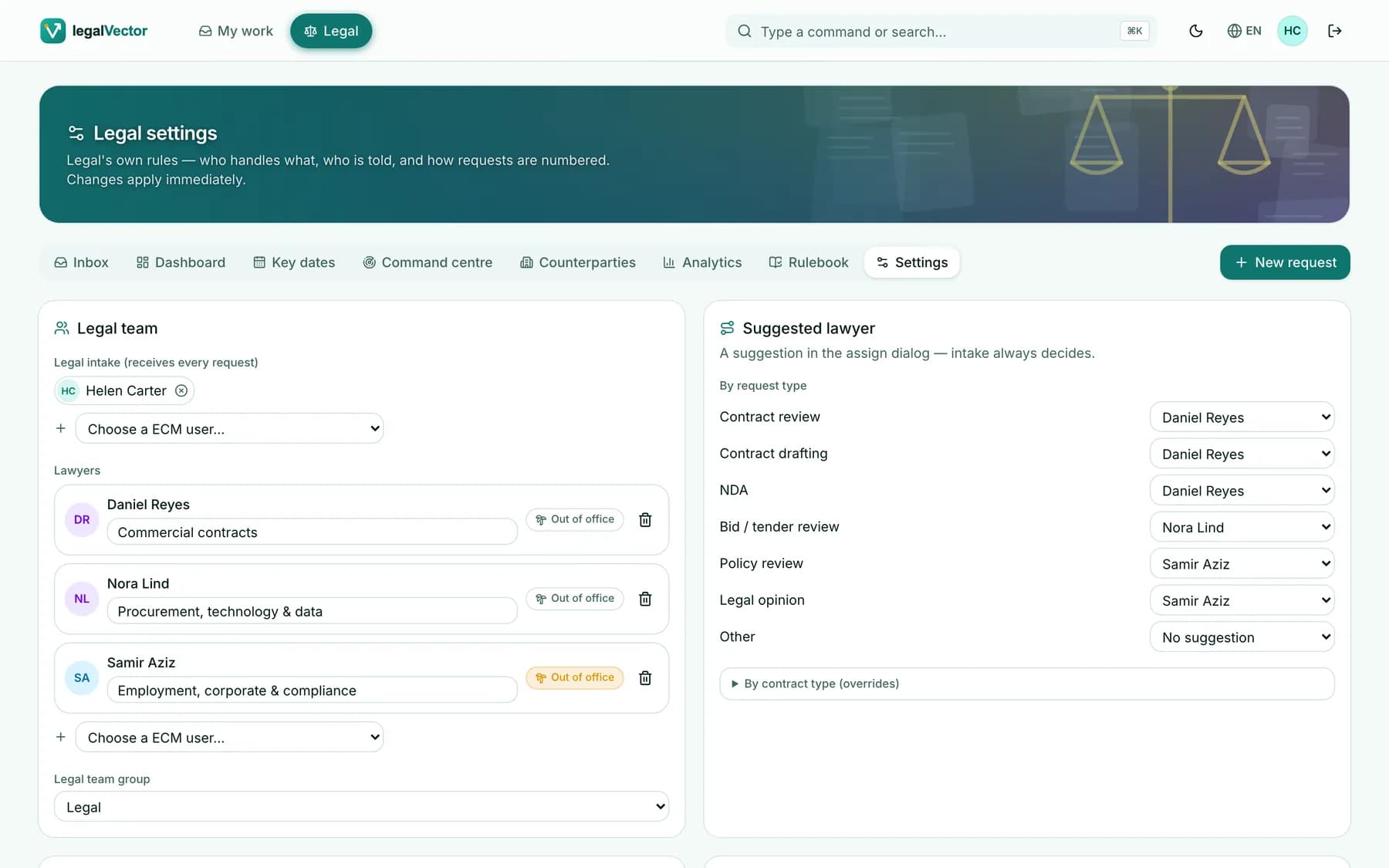
Legal intake
Has no Legal front door of its own.
One form, prefill from Word, and queues by role.
Playbook and approval
Does not apply a Legal playbook.
AI review on submit. A failing clause blocks approval until a lawyer records a reason.
Negotiation
Keeps versions and comments.
Compare, a negotiation timeline and Counterparty 360.
Legal figures
Search and audit are the repository’s.
Desk figures that open the same list. Counts from the record, not an invented score.
A request’s journey
From “can Legal look at this?” to an approved contract
Six visible steps. Everyone knows where a request stands — and every step is recorded in your repository.
- 1 · Requester
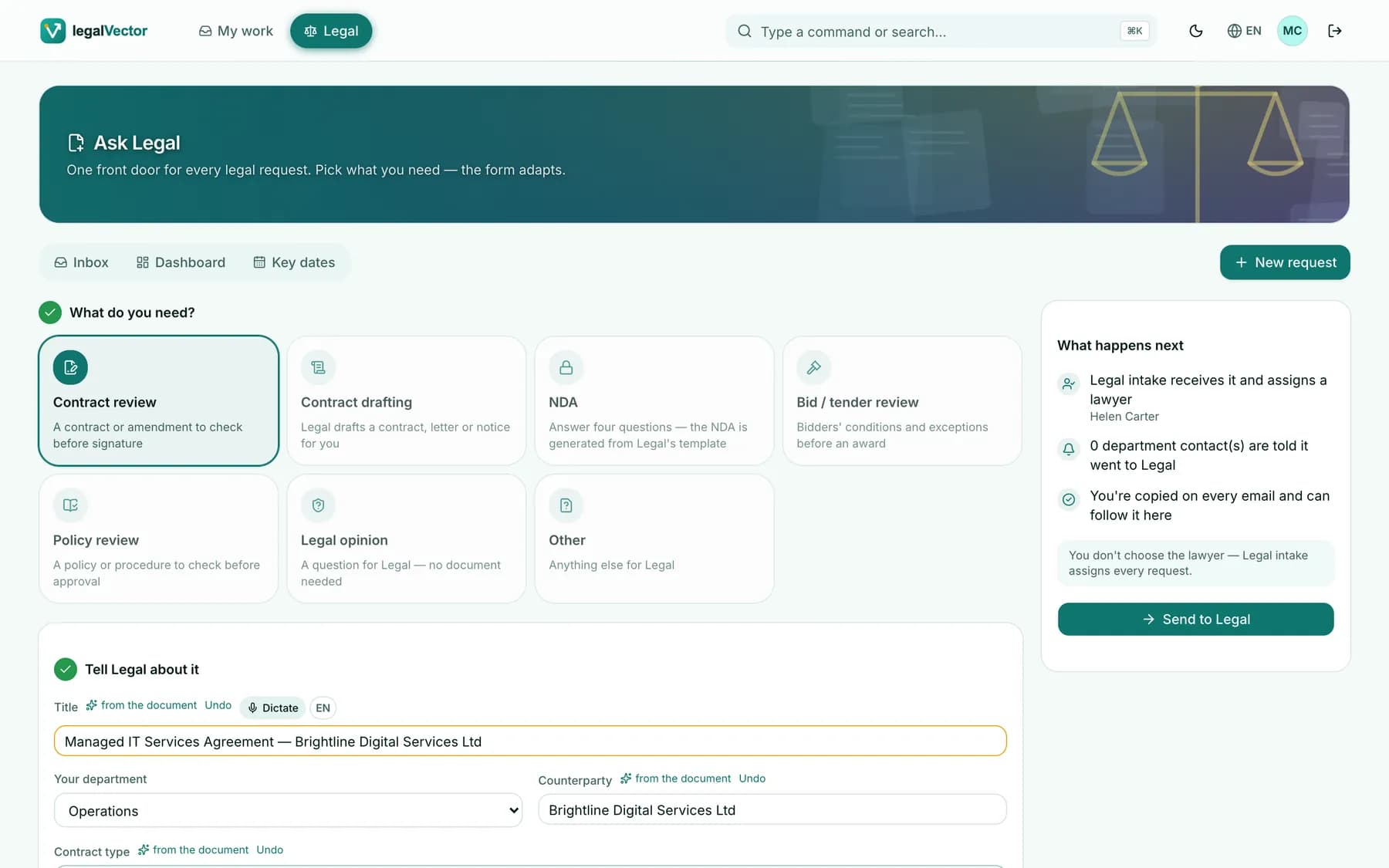
Drop the Word file
The form fills itself from the document: title, counterparty, contract type and context — each marked “from the document”, with Undo.
In the repository: Filed as a Legal request document
- 2 · TexterAgent
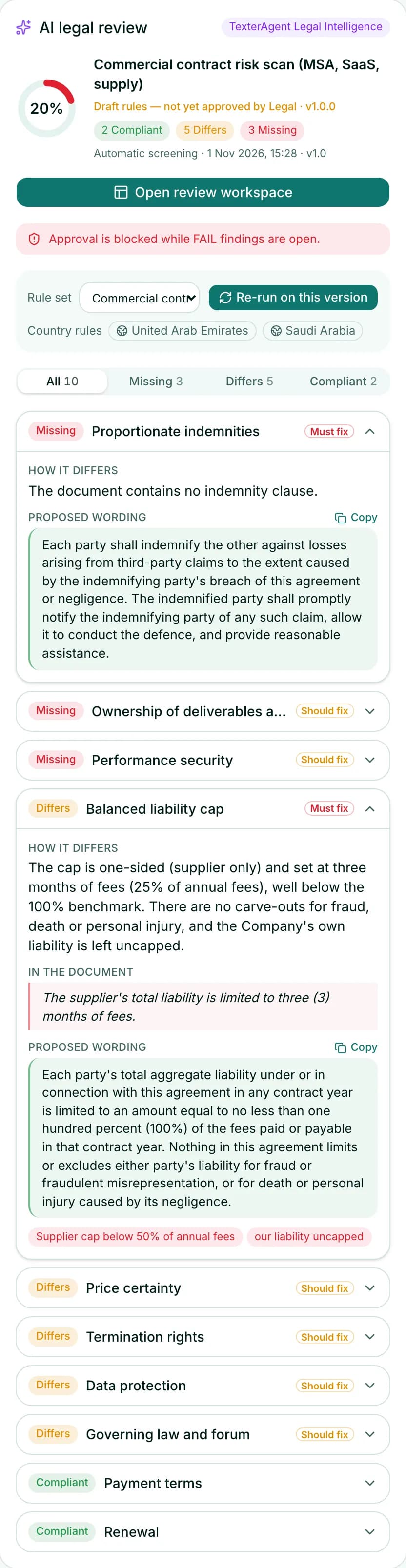
Instant AI screening
Before a lawyer opens it, the draft is checked against the organisation’s playbook and country overlays.
In the repository: The reviewed version is the repository’s version
- 3 · Head of Legal
Triage in one click
A suggested lawyer for every request, with each lawyer’s live workload and out-of-office status.
In the repository: Status, assignee and due date as fields on the document
- 4 · Counsel
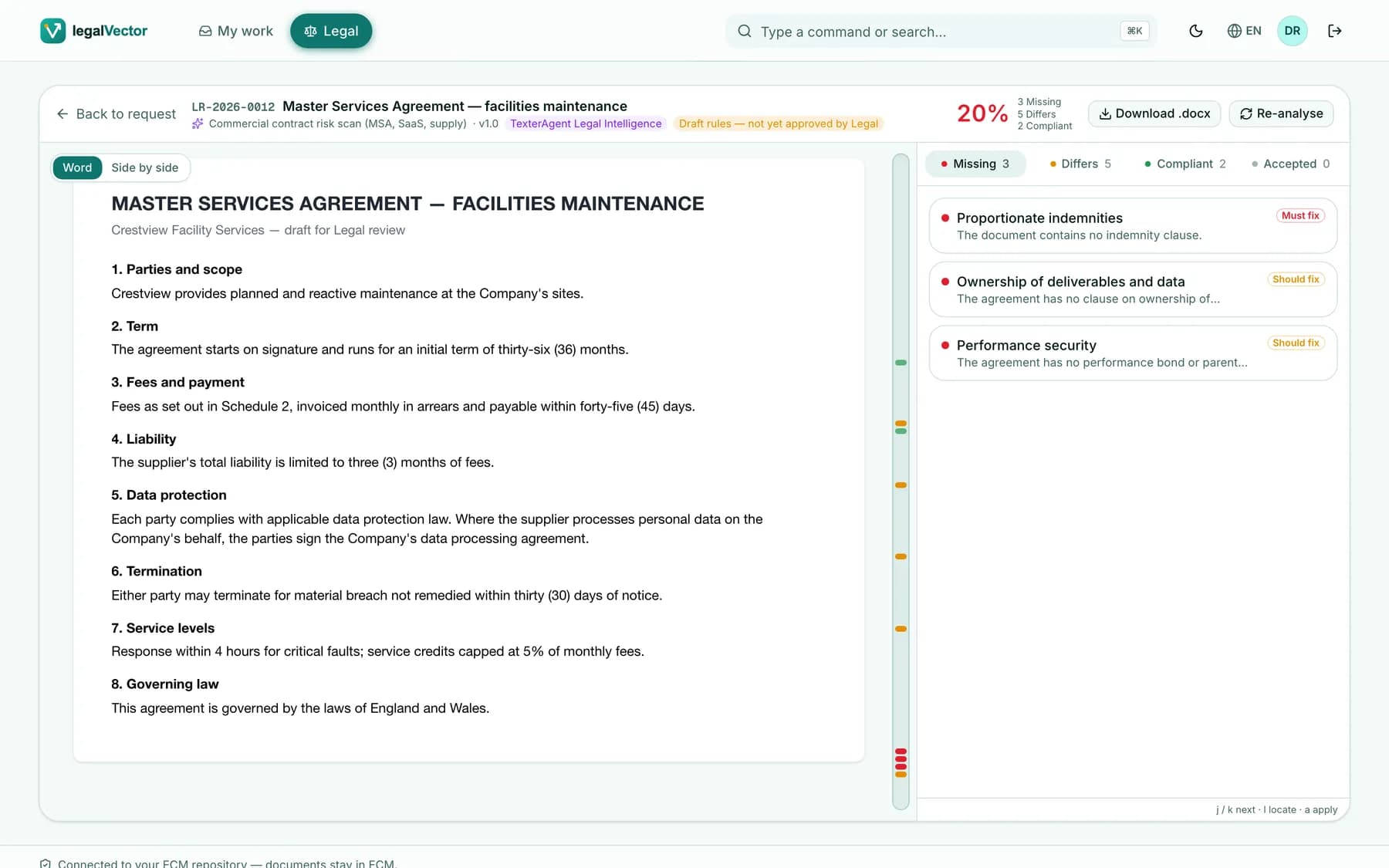
Review and redline
Findings anchored to the exact words. Accepted fixes become genuine Word tracked changes.
In the repository: Each save is a new version
- 5 · Legal team
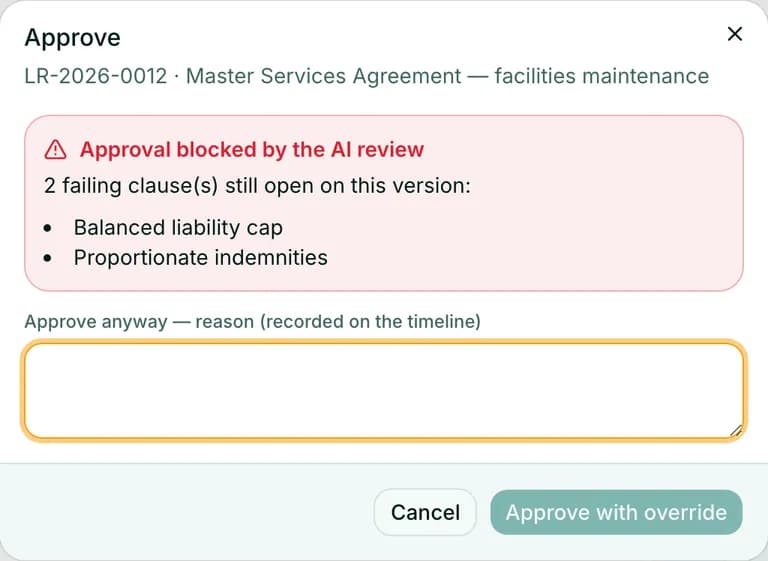
Approve with confidence
Must-fix findings gate approval. Accepted deviations need a recorded reason.
In the repository: Approval recorded on the request
- 6 · Your repository
Filed with its key dates
Start, end, notice deadline, renewal and value are written back onto the document — and onto Legal’s calendar.
In the repository: Key dates as fields on the document
legalvector · Drop the Word file
A person still decides
AI drafts. Legal records the reason.
Customer experts approve AI draft outputs. A failing clause does not pass on its own.
Real product screens · fictional demonstration data
TexterAgent · the AI inside the Legal desk
An AI that reads contracts the way your lawyers do
TexterAgent reviews every contract against your own playbook, explains each finding and proposes wording — then leaves every decision to a lawyer.
Playbook review
Every clause against your rules, with country overlays where they apply.
Exact anchoring
Each finding points at the exact words of the judged version.
Proposed wording
Fixes in your standard language, applied as genuine tracked changes.
Delta re-analysis
New versions are re-checked automatically: resolved · new · still open.
AI that proposes. Lawyers who decide.
- Redlines authored “Counsel (AI-assisted)”
- Accepted deviations need a reason
- Requesters never see internal reviews
- AI keys stay on the server
Ask Legal · ⌘K
Ask in plain words — in your language
Questions become the inbox’s own filters. The answer is a count you can trust — and “Open all” shows exactly that list.
Common desk, two editions, and what is not shipped
The same Legal desk. A different repository underneath.
Read across a row for the shared desk, what each edition adds, and what is still planned. A deployment uses one edition.
System of record
- Legal desk
- Whichever repository the deployment is configured for.
- Alfresco edition
- Alfresco Content Services. Files, versions and permissions stay in Alfresco.
- Doxis edition
- Doxis 4. Documents, versions and descriptors stay in Doxis.
- Planned
- No further repository is claimed.
Intake
- Legal desk
- One front door, prefill from Word, queues by role. Beta.
- Alfresco edition
- A request is a file with the legalVector aspect, in the Legal site.
- Doxis edition
- A request is a document of class LegalRequest.
- Planned
- Production mailbox collection is not shipped. A local mailbox can prepare a draft for the sender to submit.
AI review and the gate
- Legal desk
- Playbook review on submit. FAIL blocks approval unless a lawyer records a reason.
- Alfresco edition
- The same gate. The record is an Alfresco comment and a new version.
- Doxis edition
- The same gate. The record is a Doxis comment and a new version.
- Planned
- A chat about one request is not shipped.
Word redlines
- Legal desk
- Genuine tracked changes, saved as a new version of the same file.
- Alfresco edition
- Alfresco versions, 1.0 then 1.1 and so on.
- Doxis edition
- A new Doxis version of the same document.
- Planned
- E-signature is not shipped.
Workflow
- Legal desk
- The Legal process is standard BPMN on the embedded engine.
- Alfresco edition
- That same process can run on Alfresco Process Services when APS is the engine configured.
- Doxis edition
- Document reviews can use Doxis BPM & Insights. The Legal request process stays on the embedded engine.
- Planned
- Phone approvals and Teams notifications are not shipped.
Around the desk
- Legal desk
- The Legal desk itself is the product on every repository.
- Alfresco edition
- Legal settings and a previewed setup. Share and the Admin Console stay Alfresco’s.
- Doxis edition
- An everyday workspace, Setup Studio and Doxis Doctor. Some schema paths are unverified on a live CSB. It complements Doxis Legal; an automatic hand-off is a direction, not a finished integration.
- Planned
- Per-user trimming of Texter Agent results is not claimed.
Ask Legal
- Legal desk
- Counts, filters and lists. Not open legal advice.
- Alfresco edition
- The same limit.
- Doxis edition
- The same limit.
- Planned
- Board pack PDF is English only.
Languages
- Legal desk
- English, Spanish, European Portuguese, French and Arabic, equal, with a right-to-left layout.
- Alfresco edition
- The same five languages.
- Doxis edition
- The same five languages.
- Planned
- No further language is claimed.
Product tour
Take a look around
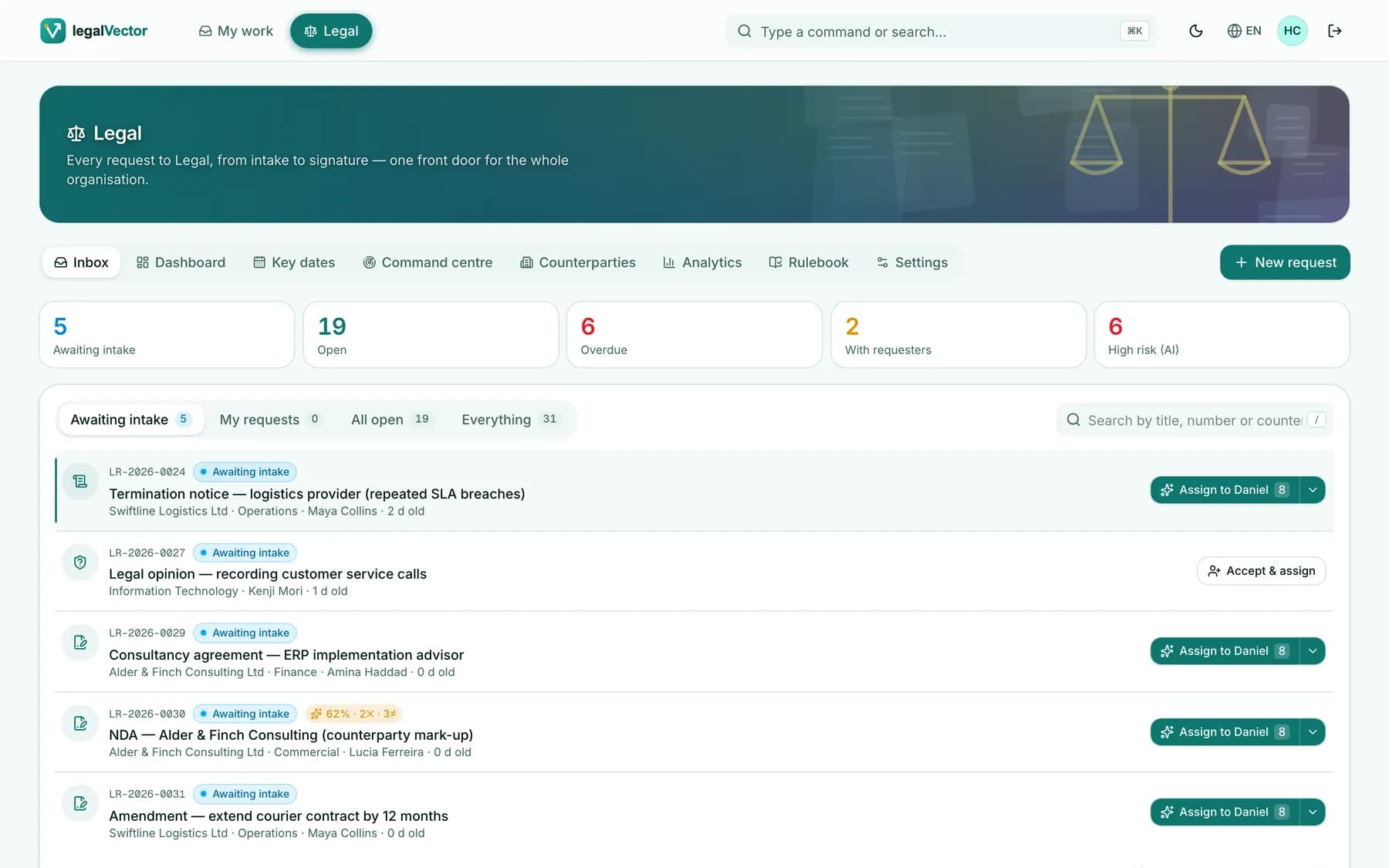
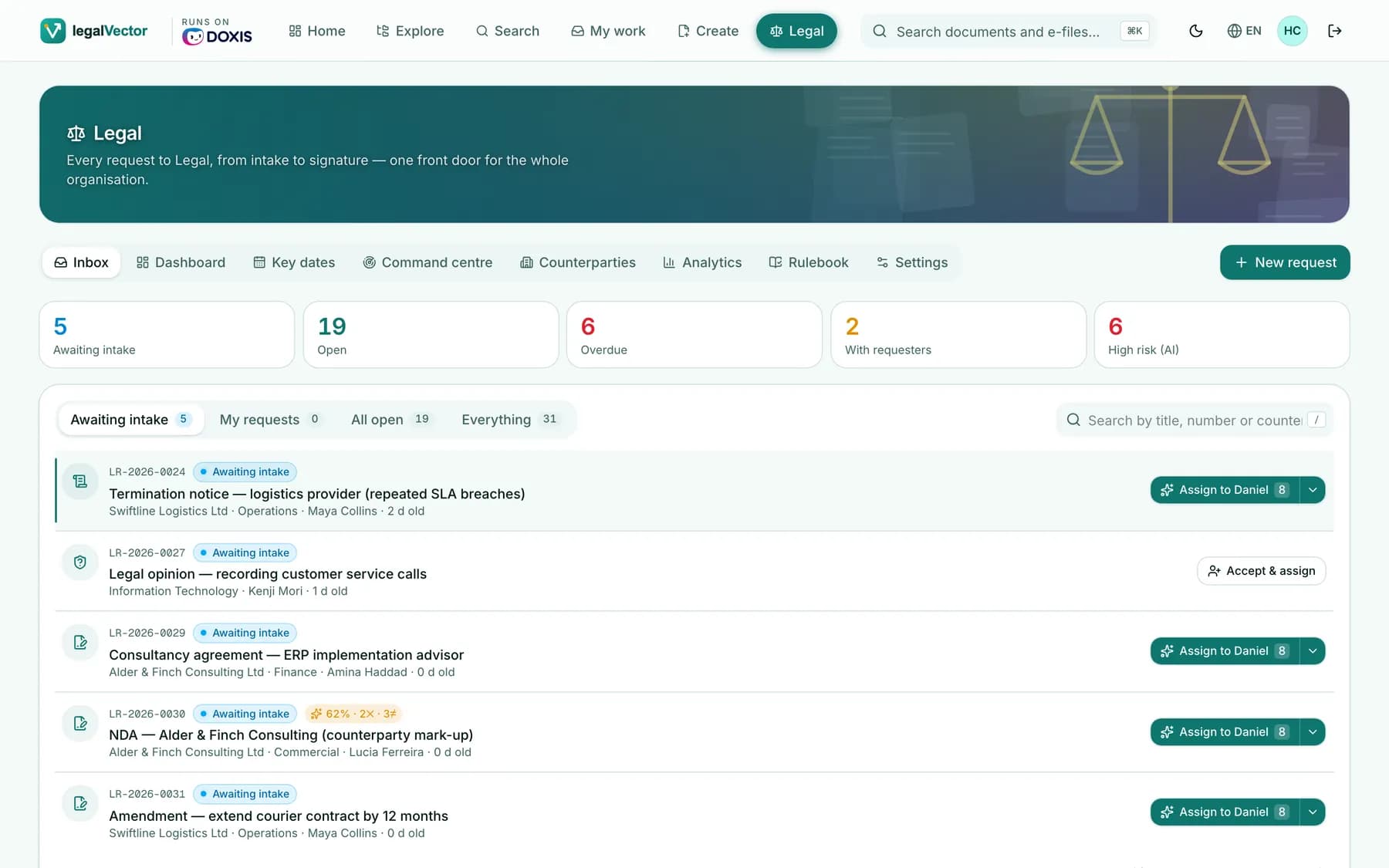
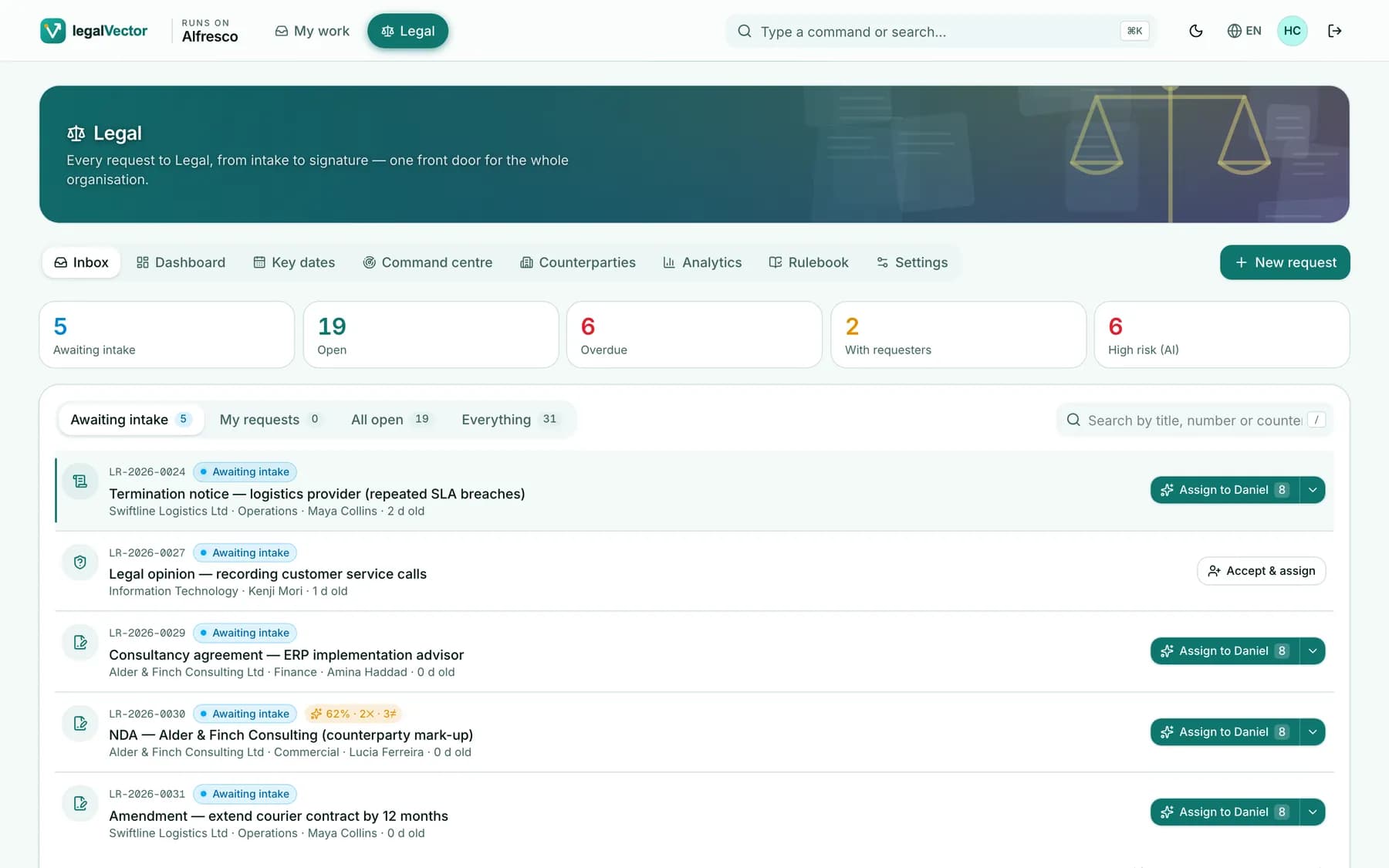
Real screens from legalVector. Click through the places Legal spends its day.
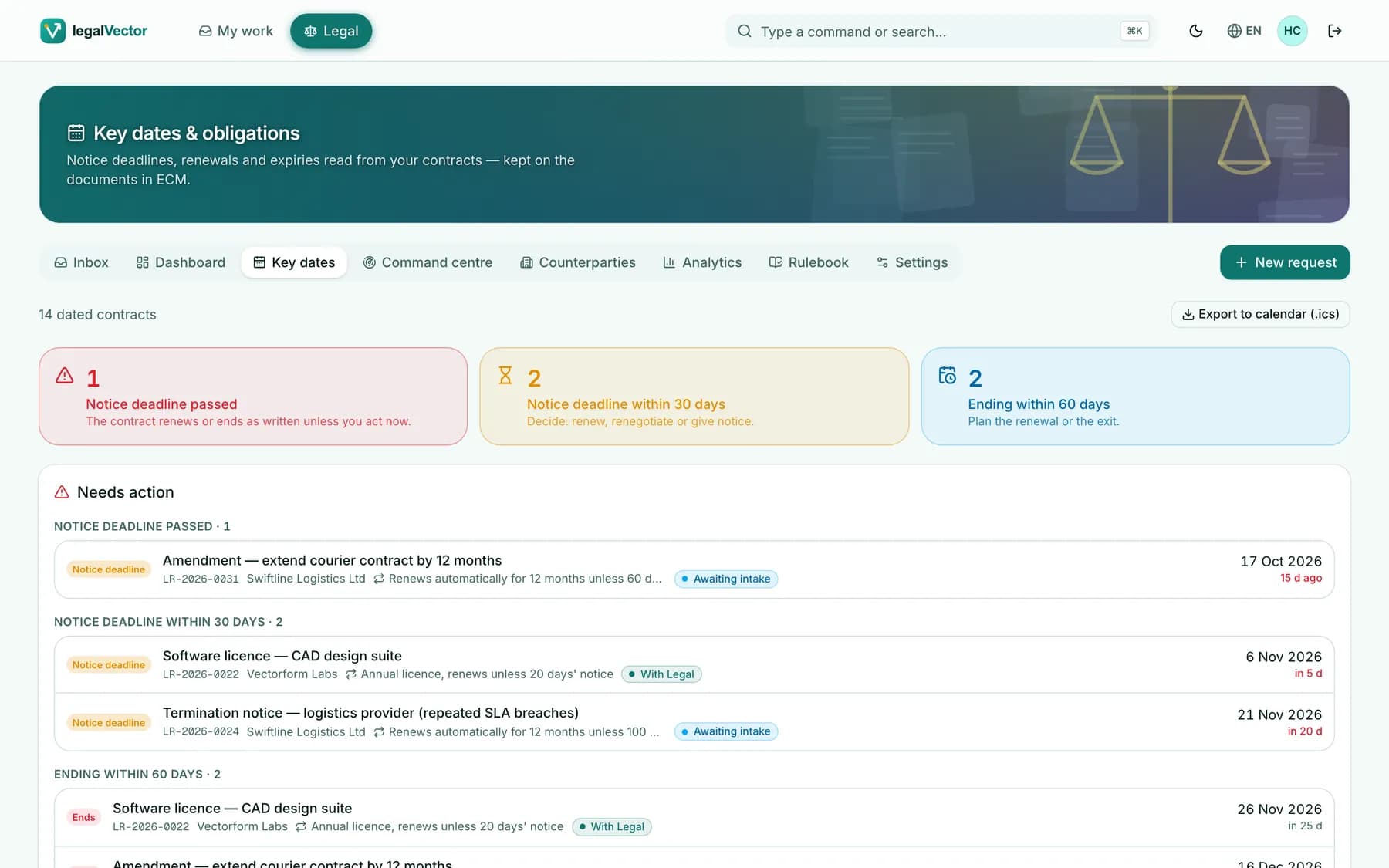
legalvector · Legal inbox
Queues per role, KPI tiles and one-click triage.
Real product screens · fictional demonstration data
Designed for everyone
Slide to see it — in your language, in the dark
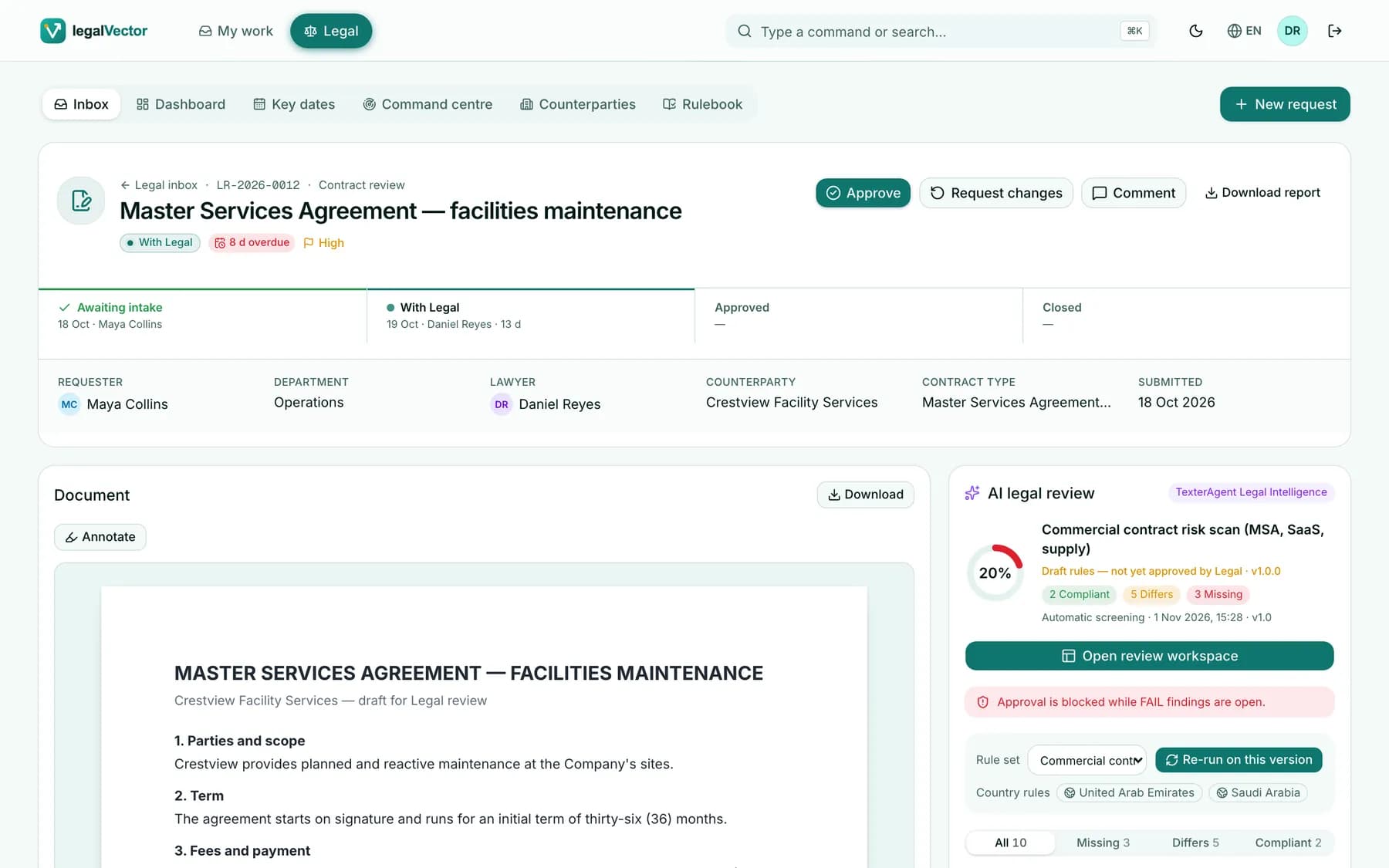
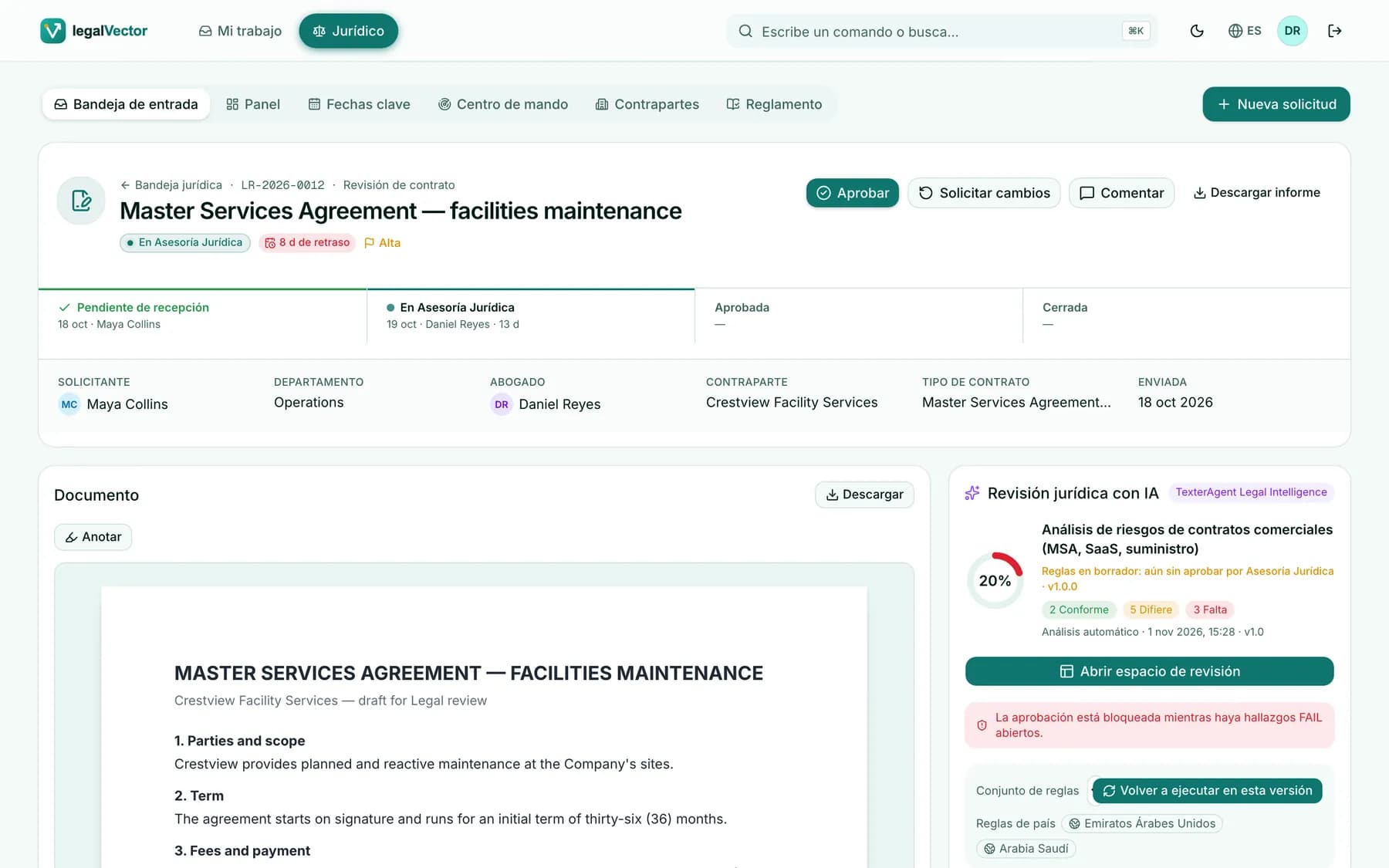
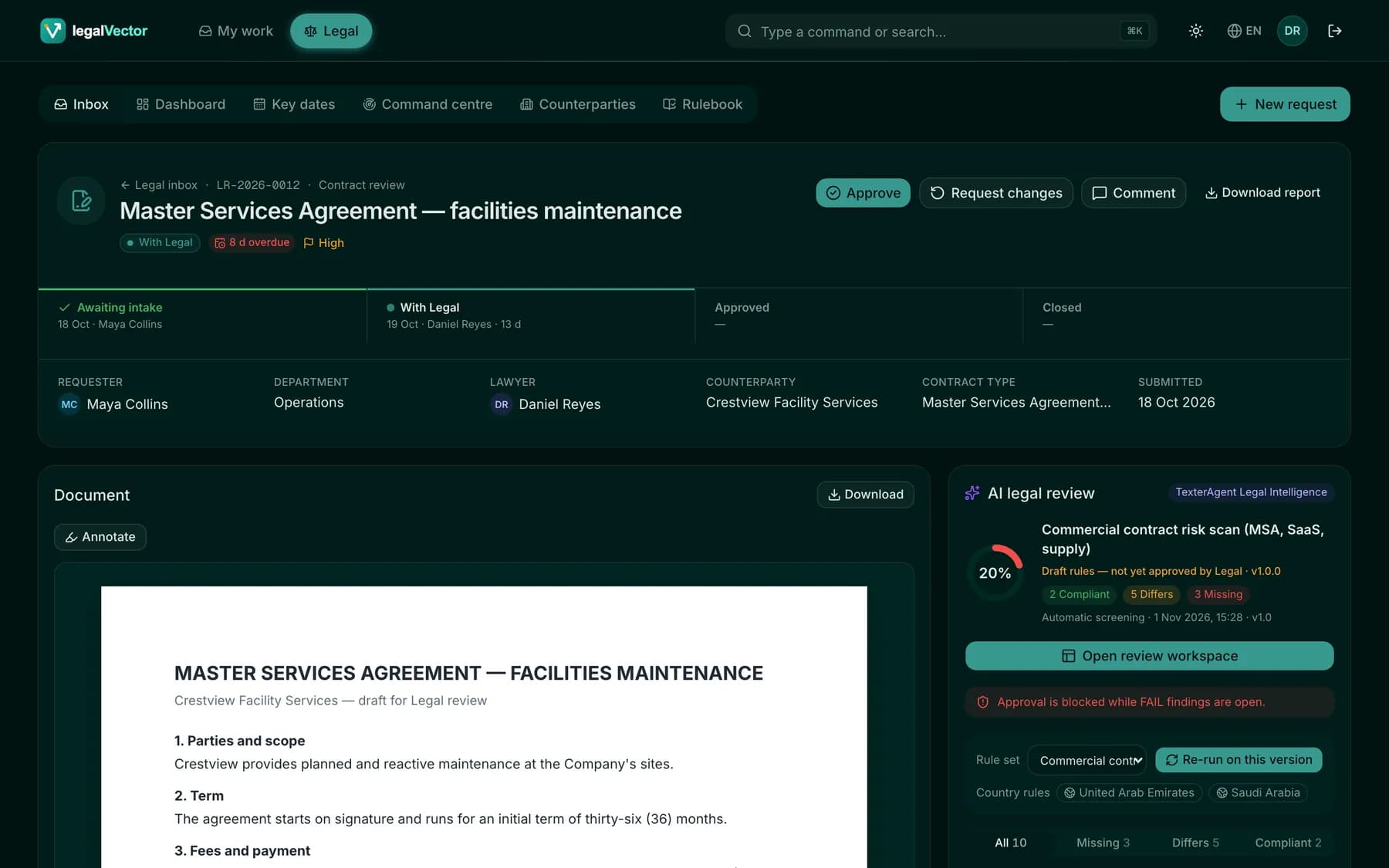
Every screen in English, Spanish, Portuguese, French and Arabic — dates, numbers and right-to-left included. Light and dark, phone to wall display.
English↔
Workflow
One process, on the engine that fits
legalVector talks to workflow through one interface. The Legal process ships as standard BPMN on an embedded engine. On Alfresco, that same process can run on Alfresco Process Services. On Doxis, document reviews can use Doxis BPM & Insights; the Legal request process stays on the embedded engine.
Ships with legalVector
Embedded BPMN engine
- The Legal process, as standard BPMN
- Deployed by Set up Legal
- The same process on every repository
Only when configured
A repository BPM, where that edition runs it
- Alfresco Process Services can run the Legal process
- Doxis BPM & Insights can run document reviews
- The Legal screens stay the same
Built on official APIs
No second repository. No parallel permission model.
Every capability goes through the repository’s official REST interface, as the signed-in user, with that user’s own rights.
Your user, your rightsWhat the repository refuses, legalVector never shows. No super-user behind the scenes.
Your documents stay in your repositoryFiles, versions, metadata and permissions — protected, retained and audited by your repository.
A considerate guestA cap on parallel calls keeps legalVector gentle on busy systems.
Deployment, stated carefully
Options, not a promise that every configuration is sealed.
How mail, speech, OCR and the model are reached depends on that deployment. This page does not claim a completed air-gap acceptance test for legalVector.
- 01
Beside the clients you already use
legalVector does not replace the repository’s own applications. They keep working on the same documents and permissions.
- 02
The official API, as the signed-in user
What the repository refuses, legalVector does not show. There is no hidden super-user for content.
- 03
Mail, speech and models follow the configuration
A demo mailbox is not the customer’s production mail. Page guidance and dictation depend on the provider and the browser.
- 04
Placement is a choice, with a limit
On-premises and private placements are part of the wider Texter offer. They are not presented here as a finished isolated test of legalVector.
- 05
No customer names on this page
Screens use fictional matters. Customer experts remain the approvers of AI drafts. No logo and no go-live is claimed.
0
request types, from NDA to legal opinion
0
visible steps from request to approved contract
0
languages, right-to-left included
0
end-to-end checks on every supported repository
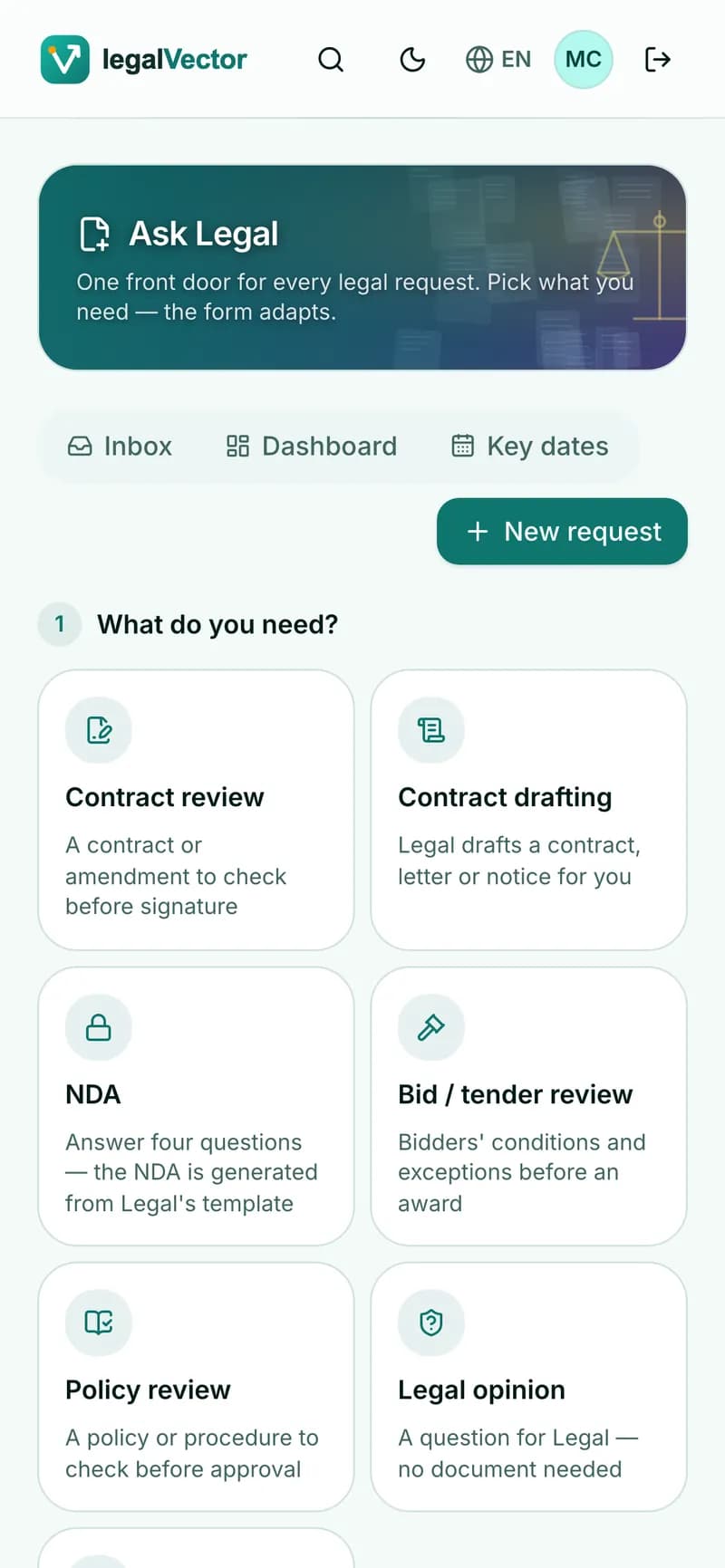
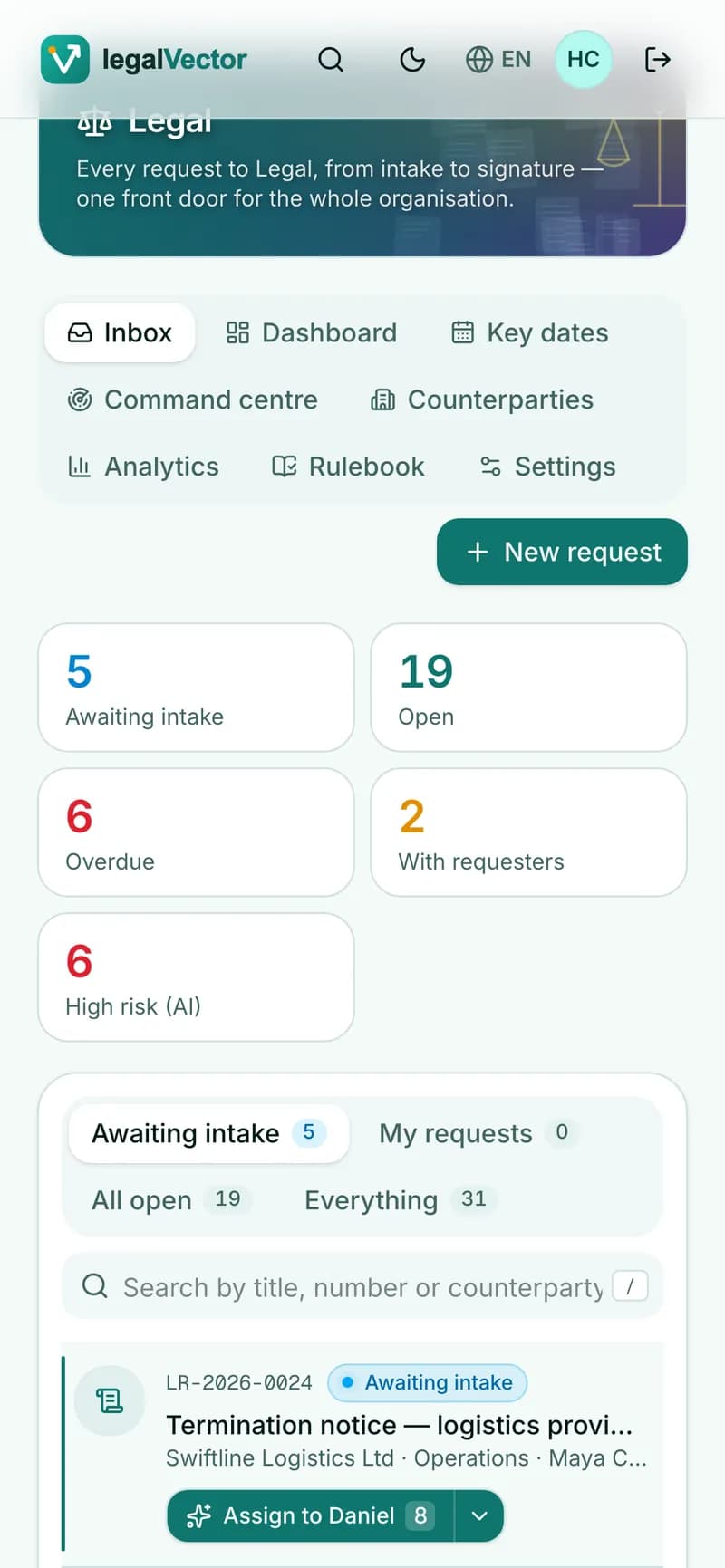
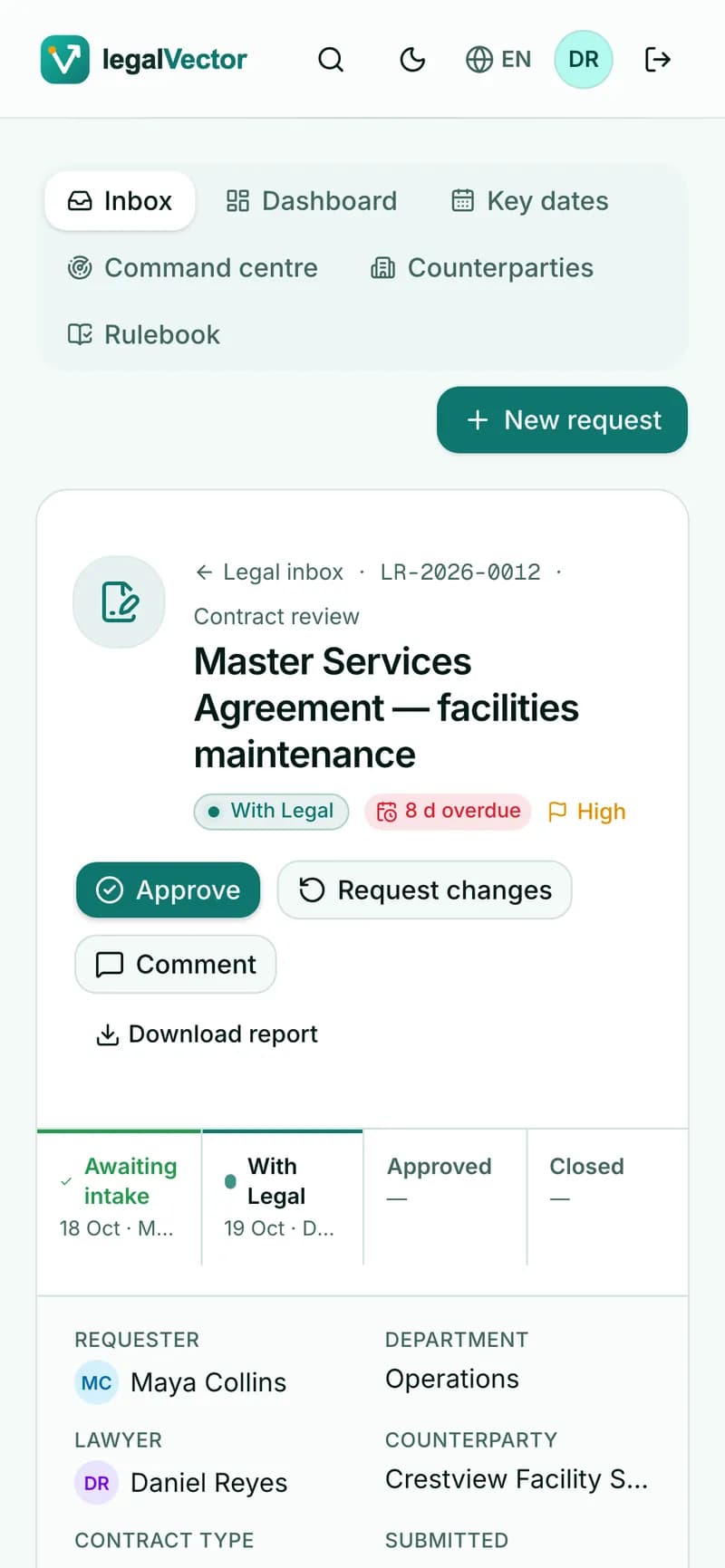
Every screen
From a quick approval on the move to the wall of the Legal team
legalvector · Legal
Trust by design
A good citizen of your content landscape
The user’s own identity
Each person sees and changes only what their repository allows them.
Rules enforced on the server
Requesters see only their own requests — redacted — before anything reaches the browser.
Preview before every change
Model and permission changes are listed step by step, then applied with the administrator’s password.
Secrets stay server-side
AI and integration keys never reach the browser.
Getting started
Start small. Grow on the repository you own.
1 · Connect
Point legalVector at your repository; people sign in with their own accounts.
2 · Set up Legal
Preview and apply the Legal model; configure team, routing and contract types.
3 · Pilot
Run real requests with Legal and one or two departments, on the embedded engine.
4 · Production
Approve the rule sets and enable AI screening. Move a process onto a repository BPM only when that engine is the one configured for the deployment.
5 · Roll out
Open the front door to every department, each in its own language.
Questions
Frequently asked
Today: Doxis 4 and Alfresco Content Services. One setting chooses the repository; the Legal desk — requests, review, redlines, approval gate, key dates, analytics and rulebook — works the same, and every supported repository passes the same end-to-end tests.
See legalVector on your repository
A 30-minute walkthrough with our team: the Legal desk end to end, and how it fits your content landscape.