

The Legal desk
Give every department a front door to Legal
A complete, AI-assisted Legal operations desk on the repository you already run — from the first question to an approved contract.
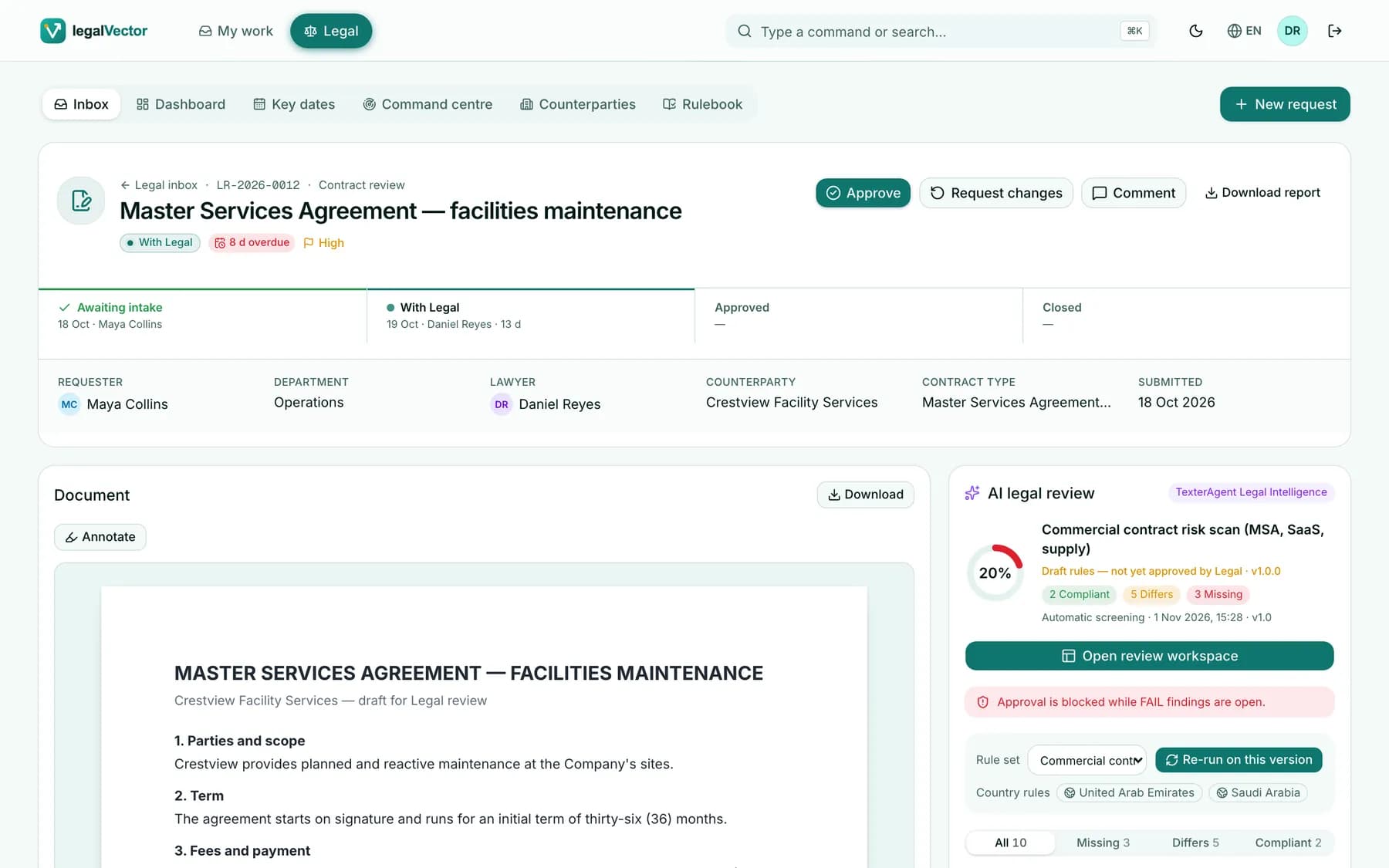
A request’s journey
From “can Legal look at this?” to an approved contract
Six visible steps. Everyone knows where a request stands — and every step is recorded in your repository.
- 1 · Requester
Drop the Word file
The form fills itself from the document: title, counterparty, contract type and context — each marked “from the document”, with Undo.
In the repository: Filed as a Legal request document
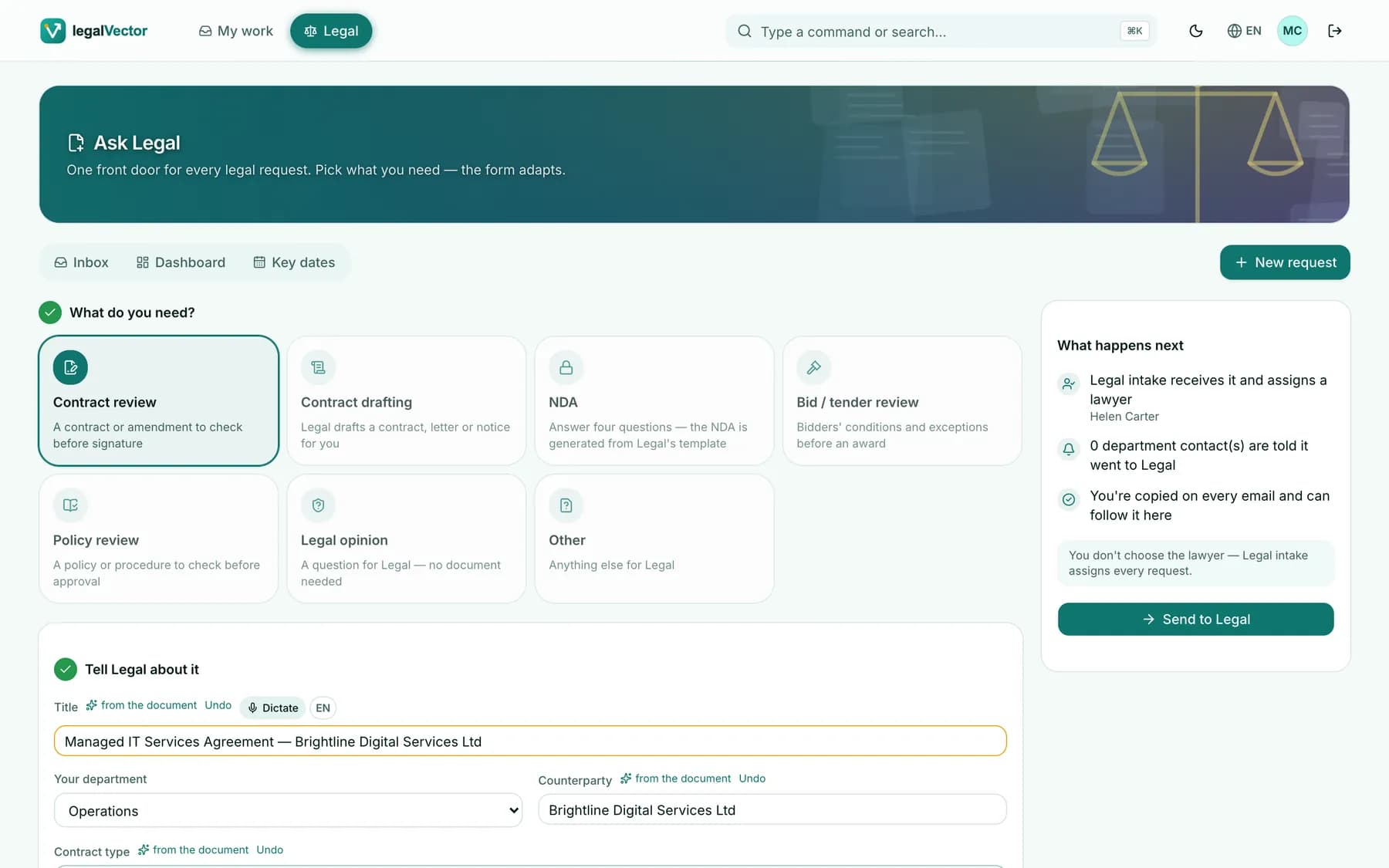
- 2 · TexterAgent
Instant AI screening
Before a lawyer opens it, the draft is checked against the organisation’s playbook and country overlays.
In the repository: The reviewed version is the repository’s version
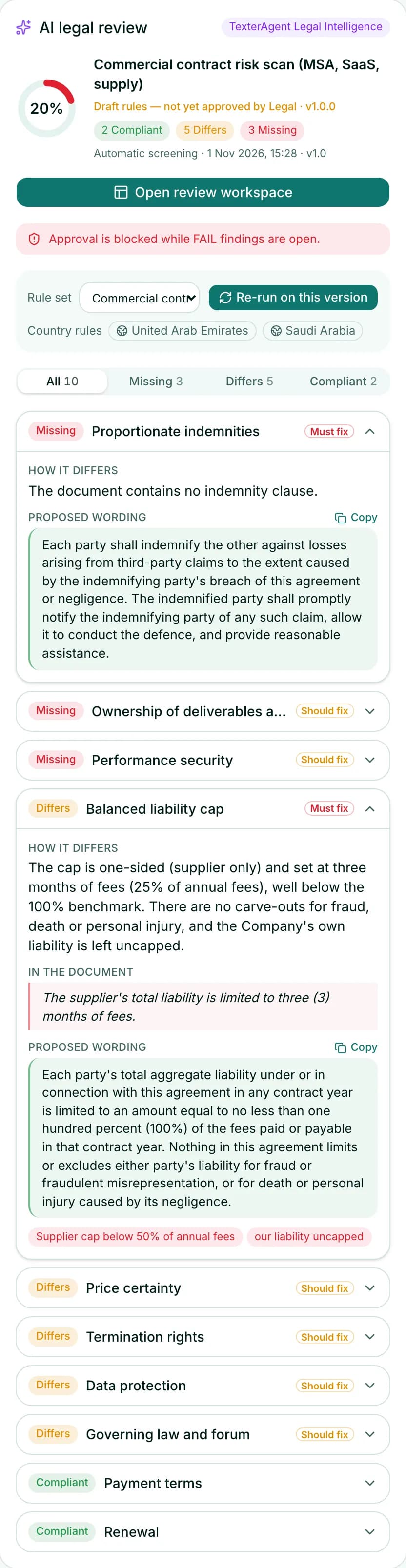
- 3 · Head of Legal
Triage in one click
A suggested lawyer for every request, with each lawyer’s live workload and out-of-office status.
In the repository: Status, assignee and due date as fields on the document
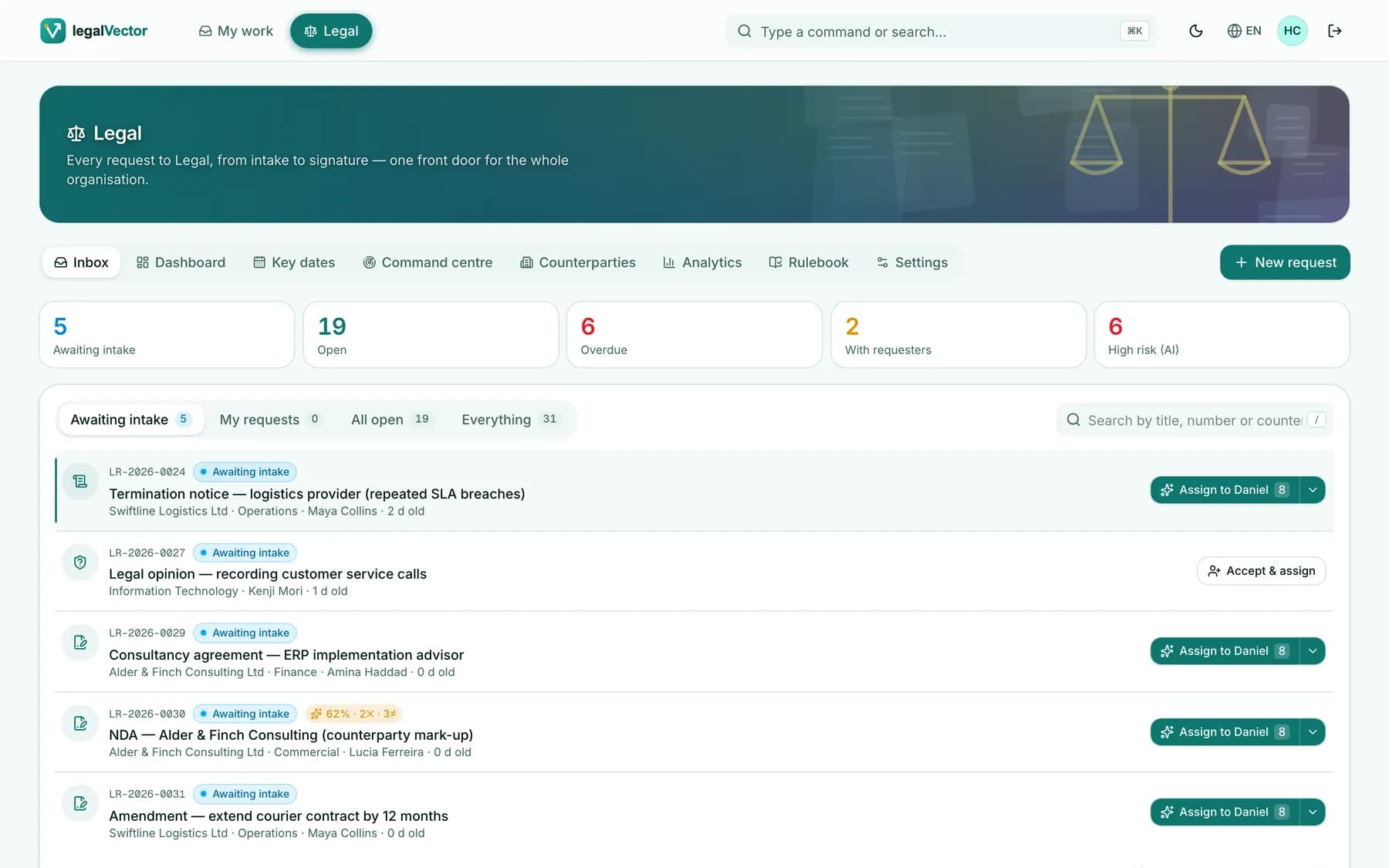
- 4 · Counsel
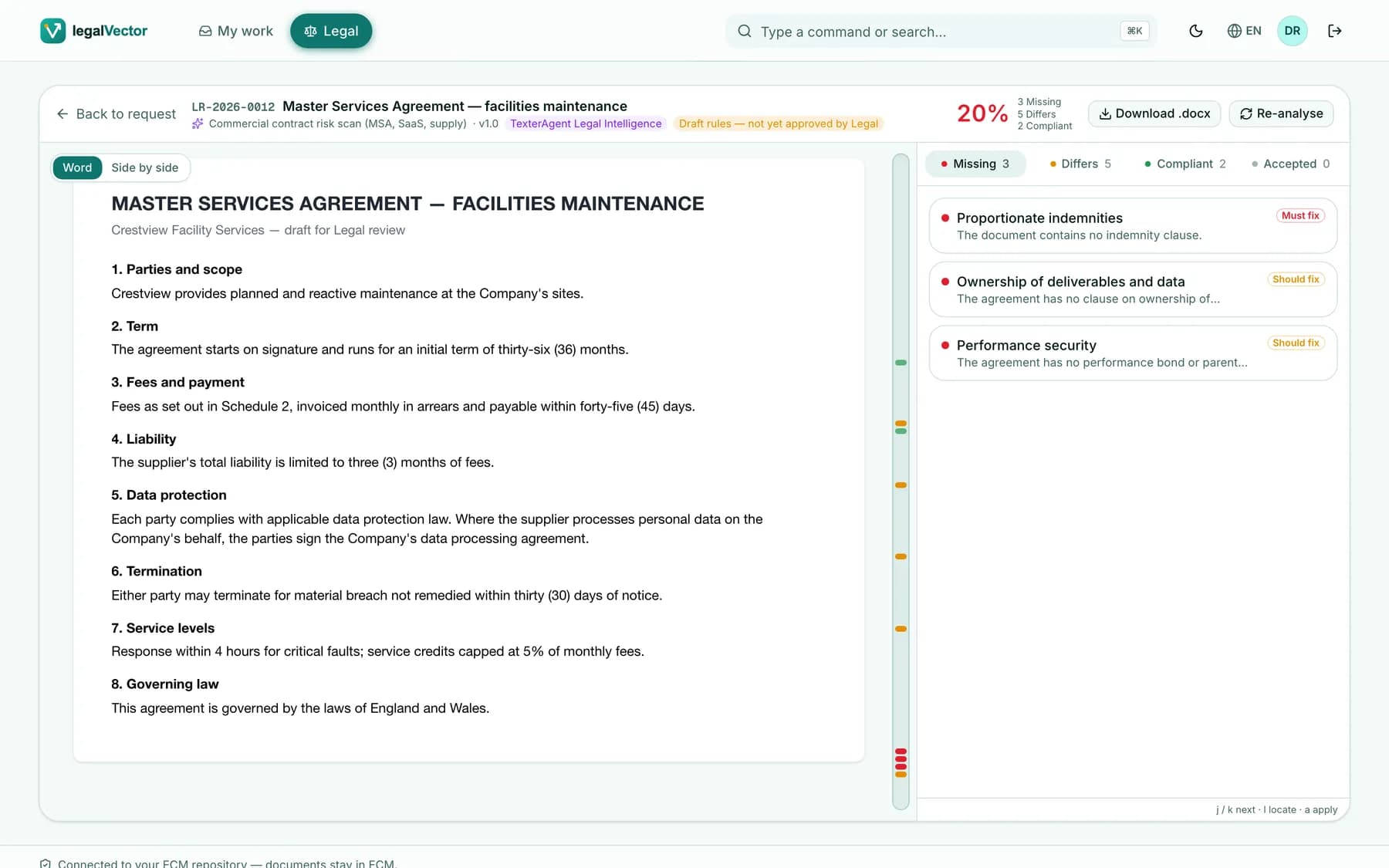
Review and redline
Findings anchored to the exact words. Accepted fixes become genuine Word tracked changes.
In the repository: Each save is a new version
- 5 · Legal team
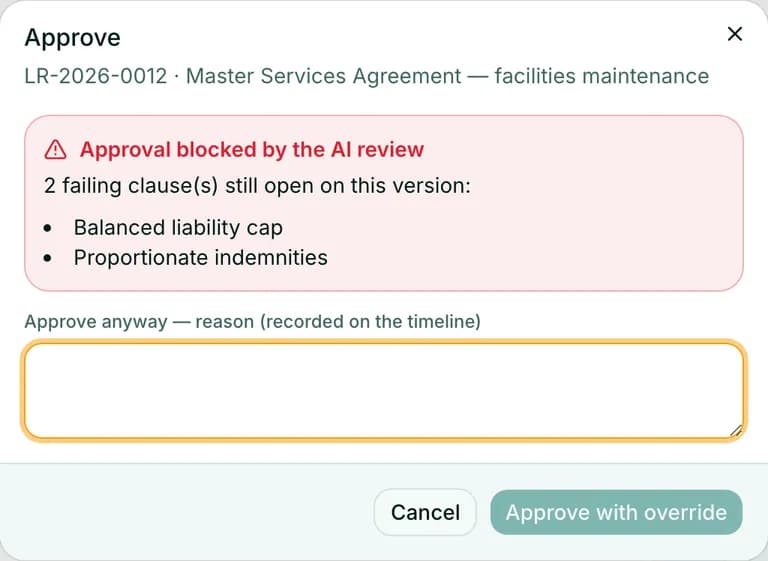
Approve with confidence
Must-fix findings gate approval. Accepted deviations need a recorded reason.
In the repository: Approval recorded on the request
- 6 · Your repository
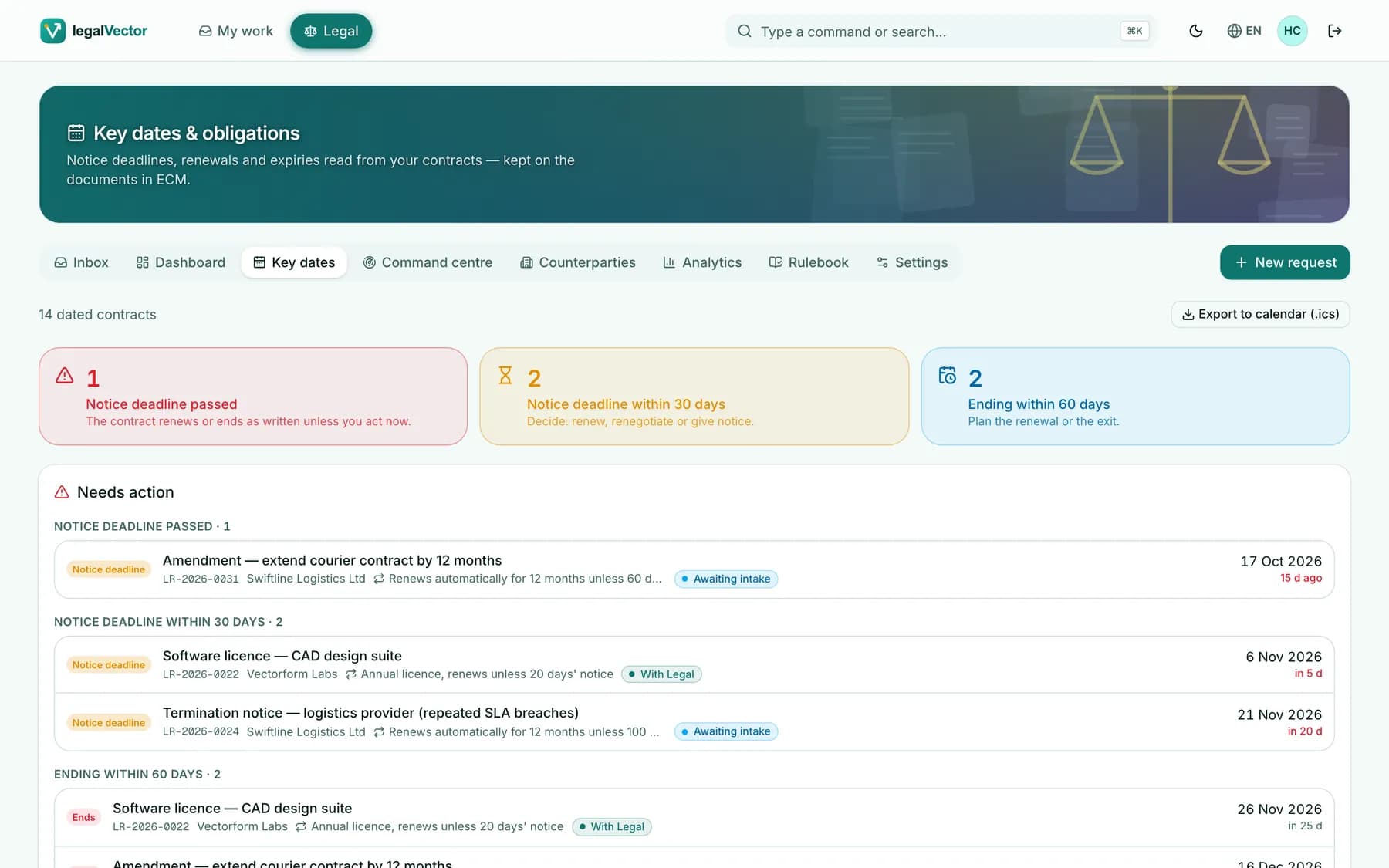
Filed with its key dates
Start, end, notice deadline, renewal and value are written back onto the document — and onto Legal’s calendar.
In the repository: Key dates as fields on the document
Intake people actually use
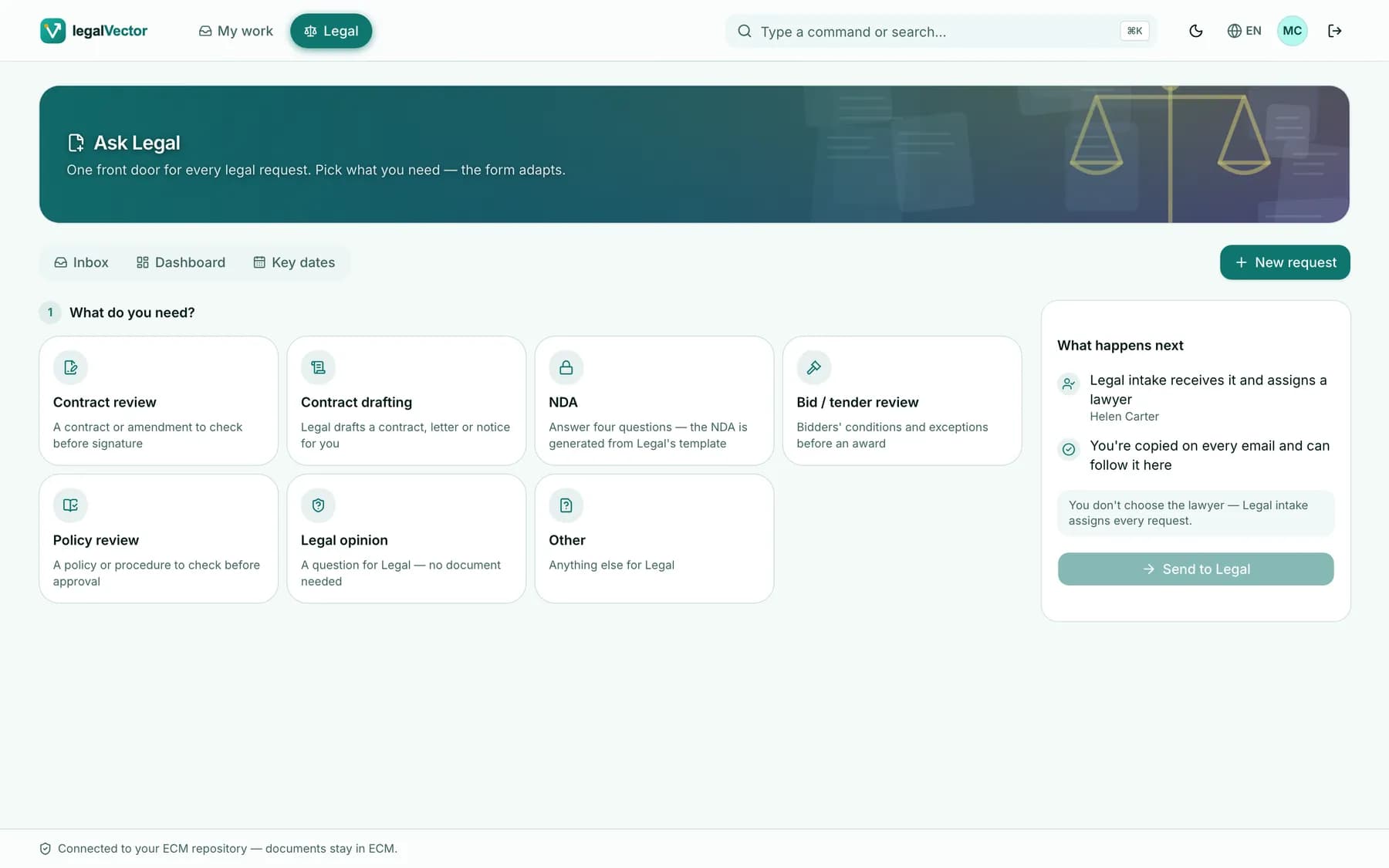
Seven request types, prefill from Word, NDAs generated from your approved template, department review attestation, voice dictation — and Forward-to-Legal by e-mail.
- Prefill from the document
- NDA in four answers
- Dictation in five languages
Triage in seconds
An “Awaiting intake” queue in arrival order, a suggested lawyer for each request and every lawyer’s live workload — keyboard-first.
- One-click assignment
- Priority and due date
- Daily brief that opens its lists
One page per matter
The next step for each person, the Word document rendered in place, the AI review, the timeline with every notification’s delivery, and the live process.
- Annotations on exact words
- Journey replay on BPMN
- Audit report per request
Real Word redlines
Stage fixes and inserted clauses, see them live as tracked changes, save a genuine .docx as a new version in your repository — then the AI re-checks what changed.
- Genuine w:ins / w:del
- Minimal word-level diffs
- Re-analysis after every save
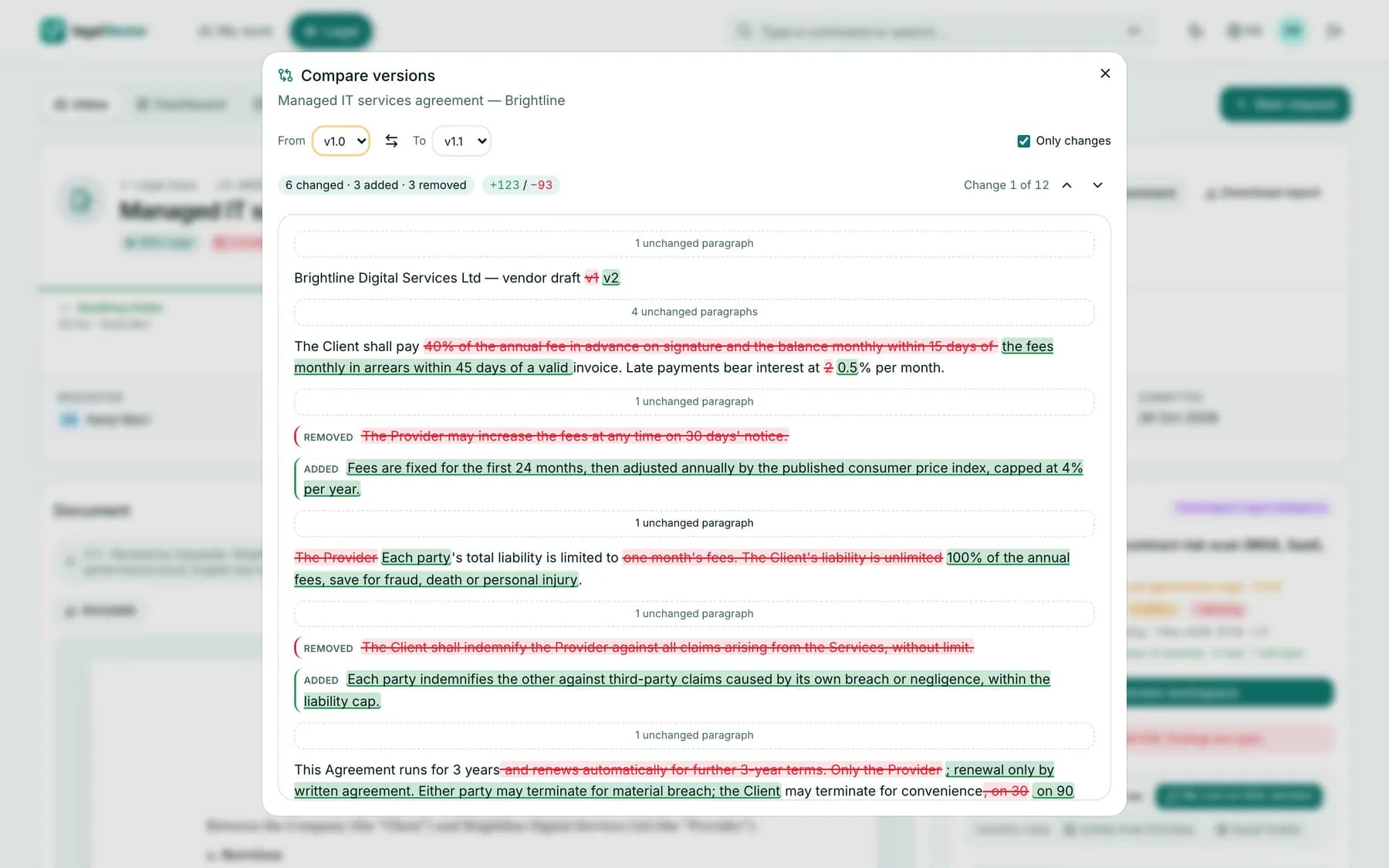
Compare and negotiate
Any two versions word by word, and a negotiation timeline round by round: what Legal asked, the score delta and the clauses that moved.
- Only-changes view
- Score delta per round
- Accepted deviations carried over
Key dates on the contract
Start, end, notice deadline, renewal and value — read from the contract and saved on the document in your repository, then shown on Legal’s calendar.
- Needs-action buckets
- Month view and next 90 days
- Calendar export
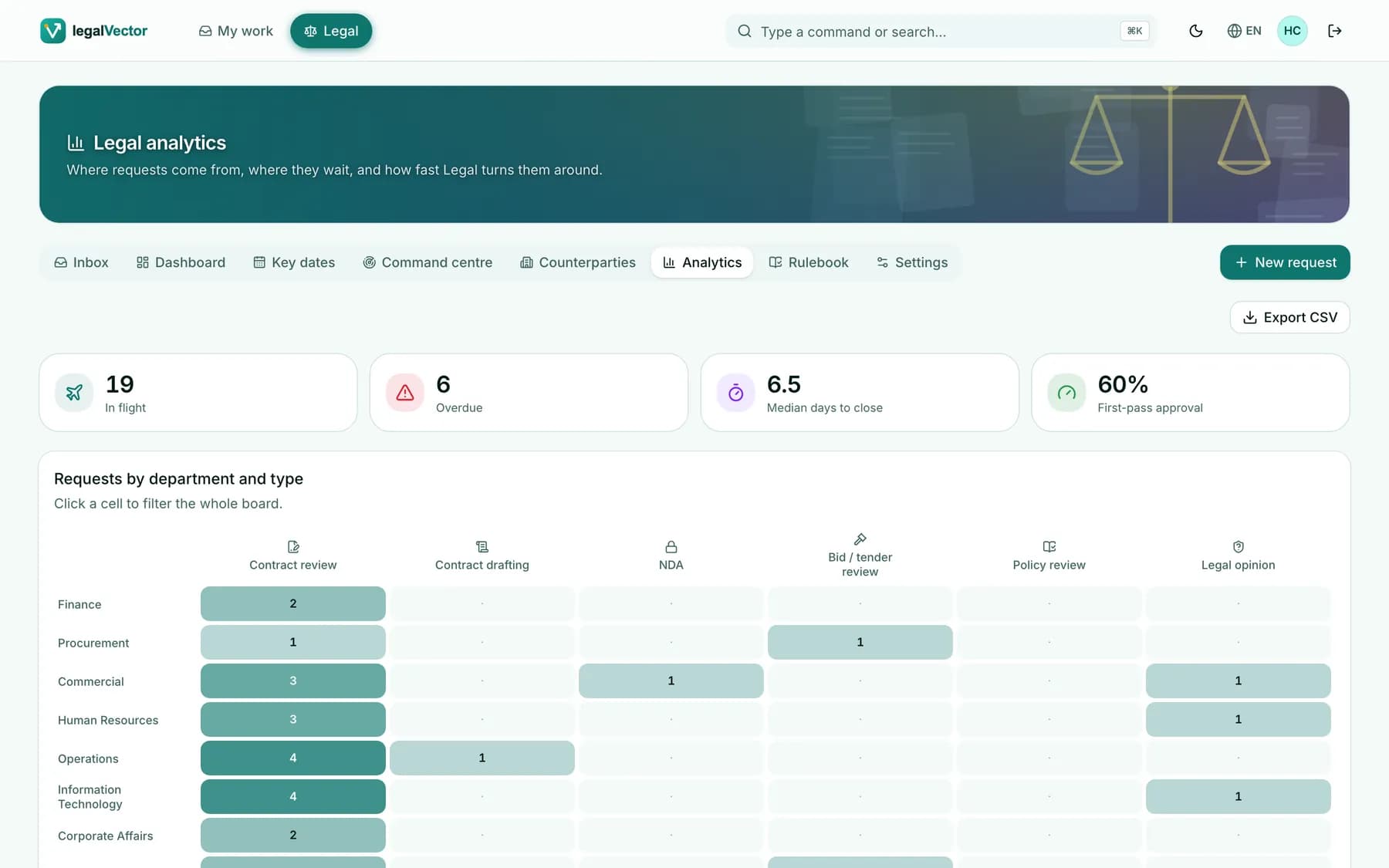
Legal intelligence
Dashboards where every number opens its list, analytics on the live BPMN, portfolio exposure by clause, a board pack and Counterparty 360.
- Department × type heatmap
- Clause exposure
- Board pack PDF
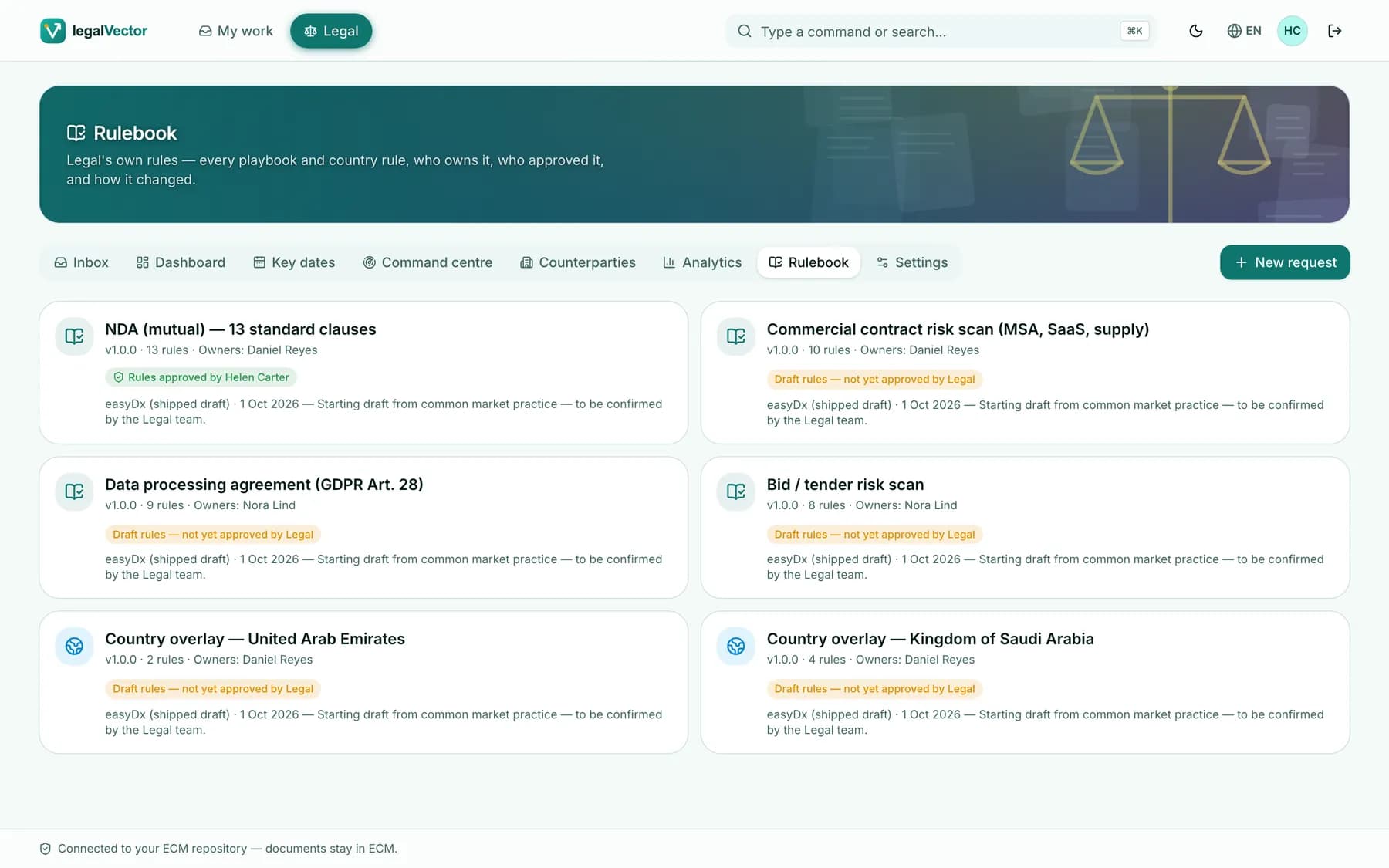
A playbook under Legal’s control
Versioned rule sets with owners and second approval. Change a rule in plain language, preview its impact, and replay any version in the time machine.
- Only the Head of Legal approves
- Template edits travel with rules
- Time machine
TexterAgent · the AI inside the Legal desk
An AI that reads contracts the way your lawyers do
TexterAgent reviews every contract against your own playbook, explains each finding and proposes wording — then leaves every decision to a lawyer.
Playbook review
Every clause against your rules, with country overlays where they apply.
Exact anchoring
Each finding points at the exact words of the judged version.
Proposed wording
Fixes in your standard language, applied as genuine tracked changes.
Delta re-analysis
New versions are re-checked automatically: resolved · new · still open.
- Redlines authored “Counsel (AI-assisted)”
- Accepted deviations need a reason
- Requesters never see internal reviews
- AI keys stay on the server
Ask Legal · ⌘K
Ask in plain words — in your language
Questions become the inbox’s own filters. The answer is a count you can trust — and “Open all” shows exactly that list.
Built for every role in the matter
Requester
- Raise a request in a minute
- Follow status, lawyer and due date
- See Legal’s notes on the exact words
- Resubmit — the AI re-screens
Head of Legal
- FIFO intake queue
- Assign with live workload
- Daily brief and board pack
- Approve rule changes
Counsel
- Assigned-to-me by due date
- AI first pass with proposed wording
- Redline, compare, negotiate
- Approve through the AI gate
See legalVector on your repository
A 30-minute walkthrough with our team: the Legal desk end to end, and how it fits your content landscape.